- Empty cart.
- Continue Shopping

Summer Cooling for Home Offices: Silent Fans, Laptop Cooling, and Airflow Maps
- Posted on
polar_meter_73@icloud.com
- 0
- Categories: Guide
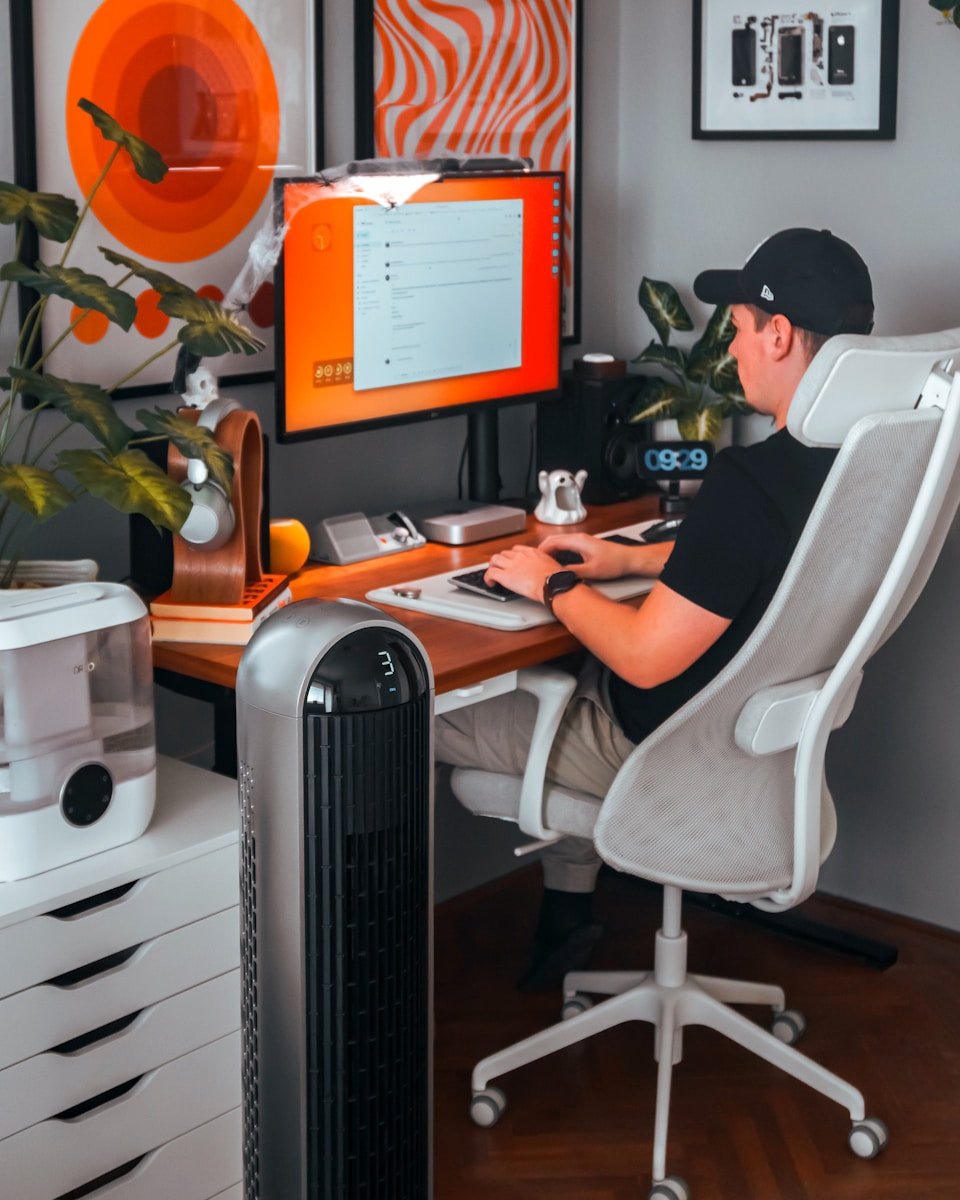
Working from home has its perks—flexibility, comfort, and the occasional pajama-clad meeting. But when summer hits and your home office turns into a heat trap, productivity and comfort can melt fast.
Unlike traditional office spaces with central AC or professional HVAC systems, many home offices—especially those in apartments, bedrooms, or attic conversions—lack effective cooling. Add in heat-generating electronics like laptops, monitors, and lighting, and suddenly your once-cozy workspace feels like a greenhouse.
The good news? You don’t need to install expensive air conditioning to stay cool.
This guide will walk you through silent fan setups, laptop cooling tricks, and even DIY airflow maps to create a breezy, quiet, and focused work environment—all summer long.
Let’s dive into the tools, layout tips, and clever hacks that will make your home office feel 10 degrees cooler without sounding like an airport runway.
Why Cooling Your Home Office Matters More Than You Think
It’s not just about comfort. An overheated workspace can seriously impact:
- Focus and energy: Heat fatigue reduces cognitive performance and decision-making.
- Tech performance: Laptops, CPUs, and external drives all throttle or overheat in high temperatures.
- Health: Sitting in hot, stagnant air for long periods can lead to dehydration, headaches, and poor posture.
The key to summer productivity is airflow—not just cold air. That’s where silent fans and smart cooling placement come in.
Part 1: Silent Fan Solutions for Focus-Friendly Cooling
You need airflow to cool a room, but you also need peace and quiet for calls, writing, coding, or deep focus.
That’s why silent fans (or near-silent) are essential for home office cooling. Here are the best fan types and how to use them effectively.
1. Desk Fans: Compact, Quiet, and Direct
Perfect for small offices or when you need airflow pointed straight at you without disturbing others.
Features to look for:
- Brushless motors (quieter)
- Multiple speed settings
- Oscillation
- USB power options (great for laptop desks)
Placement tip: Put the fan at desk height but off to the side to avoid papers blowing around. Aim it diagonally across your body, not directly into your face.
2. Tower Fans: Sleek and Space-Saving
Tower fans are ideal for tight corners and small rooms. Many are designed for bedroom use, meaning they operate quietly while circulating more air than a desk fan.
Best for:
- Rooms without ceiling fans
- People who want full-room circulation without a large footprint
- Low-noise environments
Look for models with night mode or “sleep settings,” which reduce fan motor noise and light indicators.
3. Box or Floor Fans: Budget Cooling Power
If you’re cooling a larger room or loft, box or pedestal fans offer major airflow at a lower cost.
Noise tip: Choose newer models labeled “quiet” or “whisper mode.” Some brands now design fans specifically for home office and nursery use.
Use these fans to push air out of the room during peak heat or bring in cool air in the mornings/evenings.
Part 2: Laptop Cooling That Works (and Doesn’t Sound Like a Jet)
When your laptop runs hot, everything slows down—from your CPU to your mood.
Even the most modern machines generate heat under pressure. And if you’re using your laptop on a flat desk or soft surface, you’re suffocating its airflow.
Here’s how to keep your tech cool—and quiet.
1. Laptop Cooling Pads
These are external platforms with built-in fans that draw heat away from your laptop’s underside. Bonus: They often elevate your screen for better posture.
Features to look for:
- At least two fans
- Adjustable angle
- USB-powered
- Noise rating under 30 dB (quiet enough for calls)
Placement tip: Use a pad with a mesh or metal base for better thermal transfer.
2. Passive Cooling Stands
If you don’t want more fans on your desk, passive stands lift your laptop and allow natural airflow underneath.
Pair these with good room ventilation and you’ll cut internal temps by several degrees without added noise.
Look for:
- Aluminum or metal bases
- Ventilated or open designs
- Adjustable height for eye-level positioning
3. Under-Desk Cable + Power Management
Here’s the often-missed trick: Power adapters generate heat, especially when bunched up with cables under your desk.
Tidy up your under-desk space using:
- Cable trays
- Hook-and-loop ties
- Adhesive power strip mounts
Keep adapters spaced apart and off the floor to improve airflow and reduce trapped heat zones.
Part 3: Airflow Mapping—DIY Style
Want your fan setup to actually work? You need to understand how air moves in your space.
This doesn’t require complex tools—just observation and a few adjustments.
Step 1: Identify Heat Zones
These are areas where heat accumulates:
- Near windows with direct sun
- Behind your monitor or tower PC
- Under your desk (especially with carpet)
- Any corners with blocked airflow
Mark these zones mentally (or on a quick sketch) so you can avoid placing fans there.
Step 2: Find Air Entry and Exit Points
Where does air enter and exit the room?
- Entry: Open windows, doorways, AC vents
- Exit: Opposite windows, transoms, hallways
If possible, create a cross-breeze by positioning a fan near the entry point to bring cool air in, and another near the exit to push hot air out.
Step 3: Choose a Fan Strategy
Here are three airflow map strategies depending on your space:
For Small Rooms (No AC):
- Window cracked open slightly
- Desk fan angled to draw air from outside
- Second fan behind you, angled to push air toward window
- Monitor NOT against the window (reduces screen glare and heat)
For AC or Cooled Rooms:
- Tower fan oscillating toward you
- Laptop on cooling pad or stand
- One silent fan on floor pushing cool air upward
For Attics or Top-Floor Offices:
- Keep shades drawn during day
- Morning airflow: open window + outward-facing box fan
- Afternoon airflow: close room, use fans + AC if available
- Keep laptop elevated and unplugged when not charging
Bonus Cooling Hacks That Actually Work
1. Switch to Warm LED Lighting
Cool-white bulbs can trick your brain into feeling warmer. Swap for soft white (2700K) bulbs to reduce perceived heat and eye strain.
2. Freeze a Washcloth, Not the Room
Drape a frozen (slightly damp) washcloth over your neck or shoulders for instant relief during high-heat hours. Quiet, low-tech, and surprisingly effective.
3. Work in “Cool Blocks”
Structure your workday into 90-minute focused blocks during the coolest times of day (early morning and late evening), and break during peak heat.
4. Declutter Your Desk
Clutter traps heat—especially stacks of paper, boxes, or fabric. A clean desk surface reflects light and allows for better air movement.
Product Feature Recap: 2025’s Best Summer Cooling Gear for Home Offices
Here’s a quick breakdown of must-have gear to keep your workspace cool and quiet:
| Category | Top Features |
|---|---|
| Silent Desk Fan | 3+ speed settings, under 30 dB, oscillating, USB-powered |
| Laptop Cooling Pad | Dual fans, angled design, mesh/aluminum base |
| Passive Laptop Stand | Ventilated design, raises laptop for airflow and ergonomics |
| Tower Fan | Quiet motor, sleep mode, remote control, small footprint |
| Cable Management | Open airflow under desk, prevents adapter heat buildup |
| Curtains/Shades | Blackout or thermal curtains to block radiant heat |
Final Thoughts: Stay Cool, Stay Focused
You don’t need to install central air or suffer through sweaty Zoom calls to beat the summer heat.
With a few intentional tools—a quiet fan, a smarter desk layout, and airflow awareness—you can transform your hot, stuffy home office into a cool, calm workspace built for focus.
At TheWFHClub.com, we believe great work starts with comfort, clarity, and control. This summer, take a few minutes to optimize your setup—and feel the productivity boost all season long.
Your laptop will thank you. So will your brain.


