- Empty cart.
- Continue Shopping

Best Home Office Setup for Programmers: Ergonomics, Monitors, and Lighting
- Posted on
polar_meter_73@icloud.com
- 0
- Categories: Guide
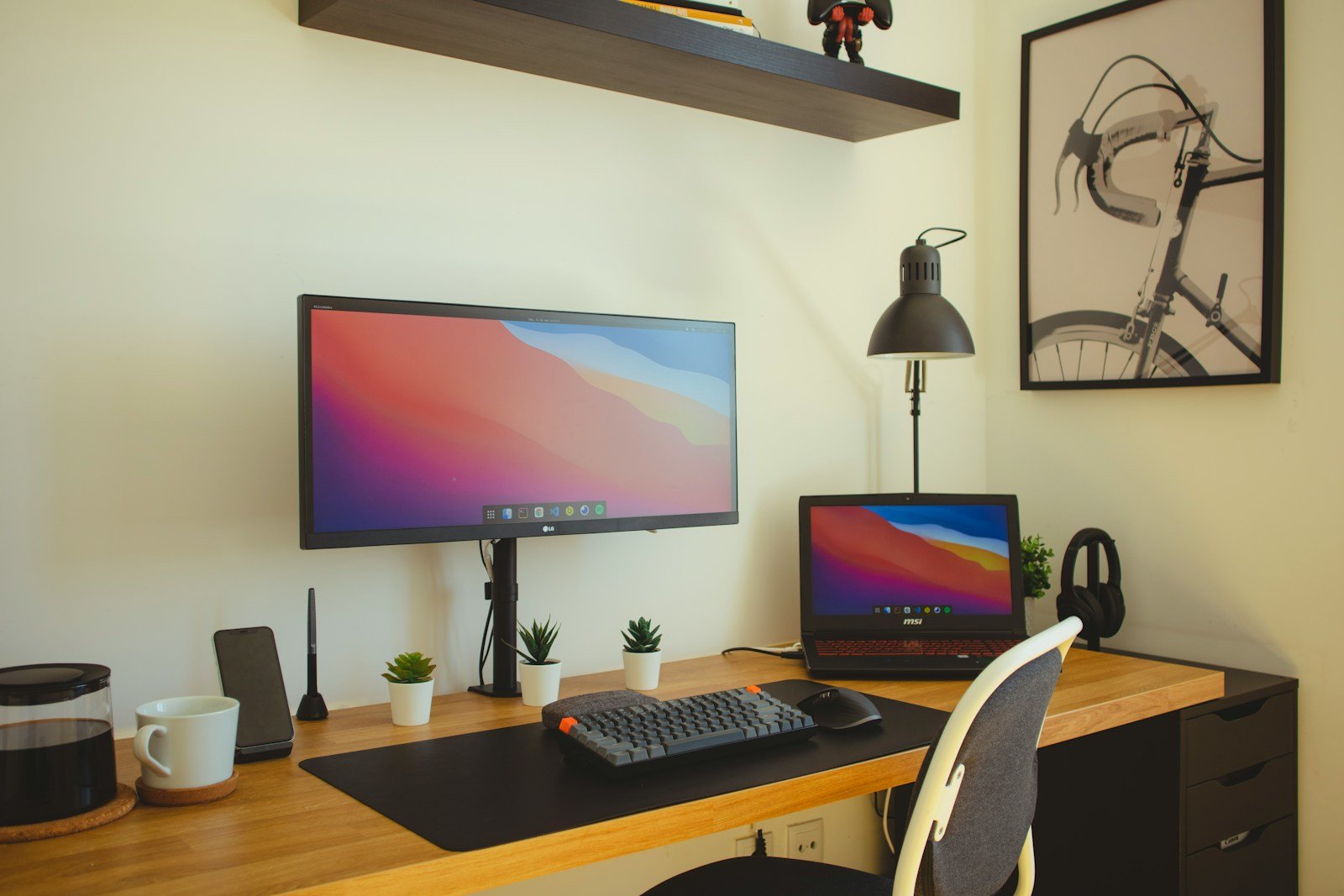
Working from home as a programmer offers incredible flexibility, but without the right home office setup, it can quickly become uncomfortable, inefficient, or even harmful to your health. If you’re spending 6–10 hours a day coding, debugging, or managing pull requests, your workspace needs to support focus, posture, and long-term wellness.
In this comprehensive guide, we’ll break down the best home office setup for programmers, focusing on three core areas: ergonomics, monitors, and lighting. Whether you’re a backend developer, full-stack engineer, or freelance web designer, this setup guide will help you build a workspace that keeps you productive and pain-free.
Why Programmers Need a Specialized Home Office Setup
Programming isn’t just typing; it’s intense cognitive work combined with long hours at a desk. A poorly designed workspace can lead to:
- Back and neck pain
- Eye strain and headaches
- Decreased productivity
- Burnout and fatigue
A well-optimized home office minimizes these issues and helps you stay sharp and focused—even during those marathon coding sessions.
Part 1: Ergonomics – The Foundation of Every Programmer’s Workspace
Ergonomics is about designing a workspace that fits the human body—not forcing the body to fit the workspace. Here’s how to get it right.
1. Ergonomic Chair
Your chair is arguably the most important investment in your home office. You’ll be sitting in it for hours, and a bad one can lead to lower back pain, shoulder tension, and reduced focus.
Key features to look for:
- Adjustable seat height
- Lumbar support
- Adjustable armrests
- Breathable mesh or cushioned backrest
- Recline and tilt-lock function
If you’re on a budget, choose an office chair with at least adjustable height and back support. Consider adding a lumbar pillow or seat cushion to improve comfort.
2. Proper Desk Height
The ideal desk height allows your elbows to be at a 90-degree angle while typing. Standard desks are around 28–30 inches tall, which works for most people between 5’8” and 6’ tall.
If your desk is too tall, your shoulders will tense up. If it’s too low, you’ll hunch forward. Both lead to long-term strain.
Tip: If you can’t adjust your desk height, adjust your chair and use a footrest to maintain proper posture.
3. Keyboard and Mouse Placement
Your keyboard and mouse should be positioned so your forearms are parallel to the floor and your wrists are neutral—not bent up or down.
Recommended setup:
- Use a full-sized mechanical or low-profile keyboard
- Add a wrist rest to prevent strain
- Keep your mouse close to avoid overreaching
- Consider a vertical mouse to reduce wrist rotation
4. Monitor Positioning for Neck Health
Neck pain is common among coders due to poorly placed monitors. Your monitor should be directly in front of you, about an arm’s length away, with the top third of the screen at eye level.
If you use dual monitors:
- Place your primary monitor directly in front of you
- Place the secondary monitor to the side at a slight angle
- Use adjustable monitor arms for fine-tuning
Part 2: Monitors – The Best Display Setup for Coders
Programmers spend the majority of their time staring at screens. Choosing the right monitor setup can significantly improve your workflow and reduce eye fatigue.
1. Single Ultra-Wide vs Dual Monitors
Both options are popular among developers, and each has pros and cons.
Ultra-Wide Monitor (34” or 38”):
- Seamless screen real estate
- Ideal for side-by-side code and browser windows
- No bezels interrupting the view
- Requires strong GPU for high resolution
Dual Monitors (2 x 24” or 27”):
- Flexibility in arrangement
- One screen for IDE, one for browser/docs
- Easier upgrades and replacements
- Slight bezel gap can be distracting
Best use-case:
If you like a clean look and fewer cables, go ultra-wide. If you prefer flexibility and multi-window workflows, go dual.
2. Resolution and Panel Type
Don’t cheap out on resolution. Fuzzy text strains your eyes and slows you down.
Minimum specs for programming:
- Resolution: Full HD (1080p) minimum, 1440p or 4K recommended
- Panel Type: IPS panels for accurate colors and wide viewing angles
- Refresh Rate: 60Hz is sufficient for most programmers
For text-heavy tasks, sharp resolution and color contrast matter more than high frame rates.
3. Monitor Stands and Arms
Built-in monitor stands are rarely ergonomic. Use VESA-compatible monitor arms to raise your displays to eye level and free up desk space.
Benefits:
- Improved posture
- Cable management options
- Ability to switch between sitting and standing configurations
Part 3: Lighting – A Critical (But Often Overlooked) Productivity Factor
Lighting directly impacts how alert and comfortable you feel during long work sessions. Many developers underestimate how much bad lighting can cause headaches, eye strain, or mental fatigue.
1. Maximize Natural Light
Natural light is your best friend. Position your desk near a window for mood-boosting daylight—but avoid glare on your screens.
Best practice:
- Light should come from the side (not directly behind or in front of the screen)
- Use sheer curtains or blinds to diffuse harsh light
If you’re working at night or in a windowless room, artificial lighting becomes even more important.
2. Use Layered Lighting
Layered lighting creates a balanced environment that reduces eye strain and maintains focus.
Three types of lighting to combine:
- Ambient lighting: General room lighting (e.g., ceiling lights)
- Task lighting: Focused light for your desk, like an adjustable desk lamp
- Accent lighting: Optional lighting to improve atmosphere (e.g., LED strips)
3. Choose the Right Color Temperature
Light color matters. Warm lighting (2700K–3000K) is relaxing but can make you drowsy. Cool lighting (5000K–6500K) mimics daylight and keeps you alert.
Ideal for coding:
Use neutral to cool white light (4000K–5500K) during work hours. If you code late into the night, switch to warmer tones to support your sleep cycle.
4. Reduce Glare and Screen Reflections
Position your monitors to avoid glare from windows or overhead lights. Use a matte screen protector or anti-glare coating if needed.
Bonus tip: Enable dark mode in your IDE and browser to reduce screen brightness and eye strain.
Additional Gear to Enhance Your Programming Setup
If you want to go beyond the basics, here are a few bonus items that can enhance your coding workspace even further.
1. Standing Desk or Sit-Stand Converter
Alternate between sitting and standing to improve circulation and reduce fatigue. Even standing for just 1–2 hours a day can make a noticeable difference in energy levels.
2. Footrest
A simple footrest improves circulation and helps maintain proper posture, especially if your feet don’t fully touch the ground while sitting.
3. Noise-Canceling Headphones
Ideal for deep work and blocking out household noise. Great for focus, especially if you live with roommates or work in a shared space.
4. Whiteboard or Notepad
Not everything needs to happen on a screen. Jotting down logic or quick diagrams by hand can help break through complex coding problems.
Maintenance Tips for a Clean and Productive Workspace
It’s not just about buying the right gear. How you maintain and interact with your workspace matters too.
- Declutter weekly: Remove unused gadgets, trash, and distractions
- Organize cables: Use cable clips, sleeves, or trays to hide wires
- Clean screens and surfaces: Dust, smudges, and crumbs reduce clarity and hygiene
- Re-evaluate your setup: As your workload changes, so should your workspace
Sample Programmer Setup Checklist
Ergonomics:
- Ergonomic chair with lumbar support
- Adjustable desk or footrest
- Wrist support for keyboard and mouse
Monitors:
- Dual 24” monitors with VESA arms, or one ultra-wide
- IPS panel with Full HD or higher resolution
- Eye-level positioning and glare-free angle
Lighting:
- Desk near natural light
- Adjustable desk lamp with 4000K–5500K bulb
- Anti-glare screens or matte finish
Extras:
- Mechanical or low-profile keyboard
- Vertical or ergonomic mouse
- Noise-canceling headphones
- Cable management accessories
- Standing desk converter (optional)
Final Thoughts
A programmer’s home office is more than a place to work—it’s a productivity engine. The right combination of ergonomics, monitors, and lighting can dramatically improve your comfort, focus, and output.
Whether you’re pushing code to production, solving backend issues, or designing frontend interfaces, your workspace should support you—physically and mentally.
At TheWFHClub.com, we’re all about helping remote professionals build smarter home offices. The tools in this guide are proven essentials for modern developers looking to code


