- Empty cart.
- Continue Shopping

Back-to-Work Reset: One-Hour Home Office Declutter That Actually Sticks
- Posted on
polar_meter_73@icloud.com
- 0
- Categories: Guide
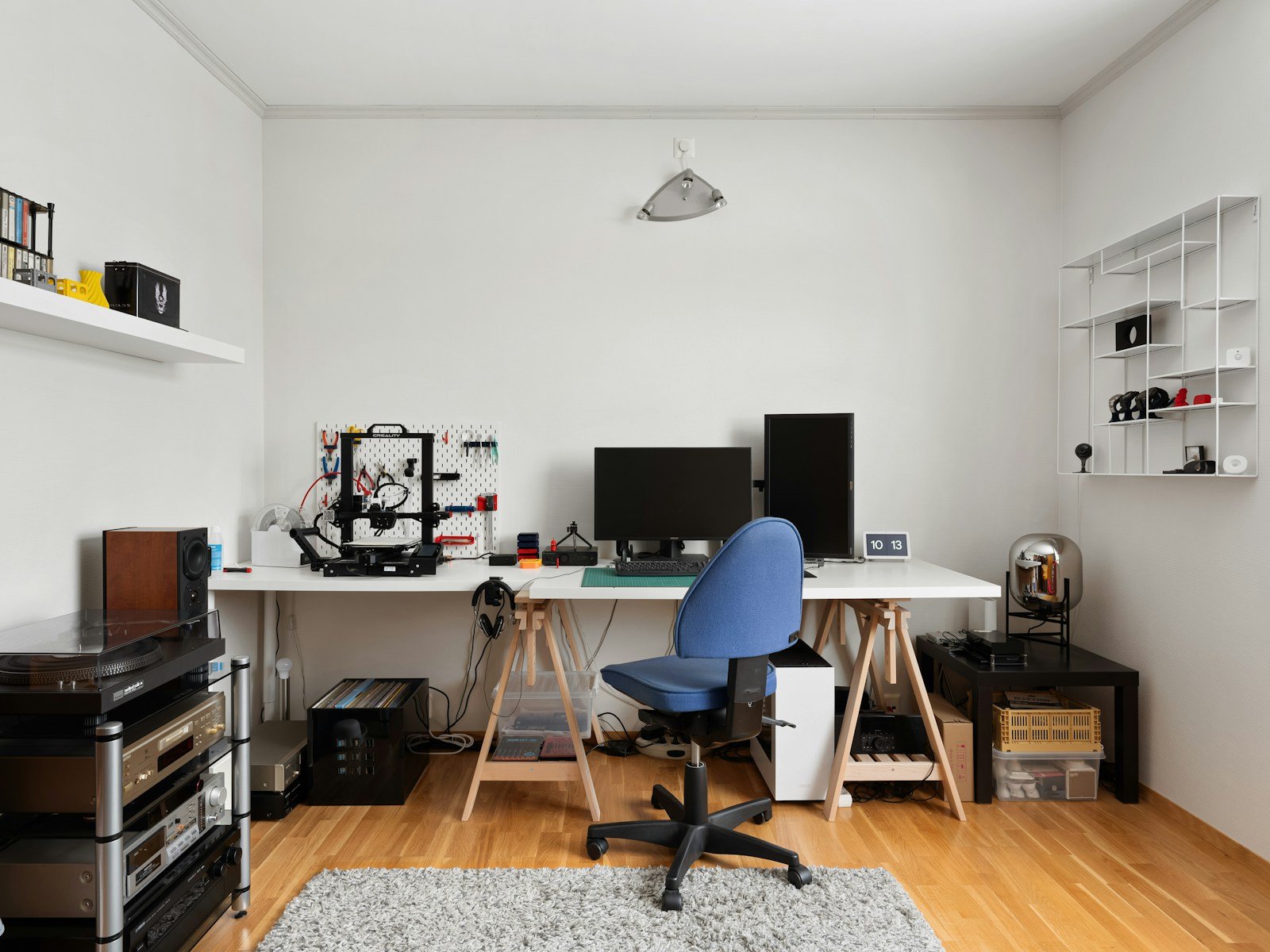
After a vacation, a busy season, or just too many weeks of pushing clutter to the side “for later,” your home office can easily slide into chaos. Cables spill over the edge, papers stack up, and your once-intentional setup starts to feel more like a junk drawer with a laptop.
Sound familiar?
You’re not alone—and the solution is simpler than you think. With just one focused hour, you can reset your space, declutter your home office, and set yourself up for a smoother, more productive workweek.
And this isn’t just a temporary tidy-up. We’re talking about a systematic declutter that sticks, using smart habits and setup tweaks that prevent the mess from returning.
Ready to clear the mental cobwebs and reclaim your workspace? Let’s go.
Why Decluttering Your Home Office Matters
Before we dive into the process, let’s talk about why this matters.
A cluttered workspace isn’t just visual noise—it’s mental drag. Here’s what studies (and thousands of work-from-home professionals) say:
- Visual clutter increases cognitive load, making it harder to focus
- Disorganized spaces lead to stress and procrastination
- You waste time searching for items you should be able to grab in seconds
- Your creative energy suffers, even if you don’t realize it
A clean, clear space = a clear head. And the best part? You don’t need a full-day overhaul to get there.
The One-Hour Home Office Declutter: Step-by-Step Guide
We’ve broken the process into six 10-minute mini-sprints, plus a final wrap-up. You’ll work fast, stay focused, and finish with a space that feels brand new.
Set a timer, queue up your favorite playlist or podcast, and let’s get started.
Minute 0–10: The Quick Surface Sweep
Start with what you see first—the surface of your desk.
- Clear everything off your desktop. Yes, everything.
- Place items in one of three piles:
- Keep on desk
- Store elsewhere
- Toss or recycle
- Wipe down your desktop with a microfiber cloth or disinfecting wipe.
- Put only the essentials back:
- Computer or monitor
- Keyboard and mouse
- Notebook and pen
- One or two personal or decorative items (plant, photo, etc.)
The rule: If it doesn’t serve a purpose or bring joy, it doesn’t go back.
Minute 10–20: The Hidden Mess (Drawers + Shelves)
Next, open those drawers, cubbies, and shelf bins you’ve been ignoring.
- Dump contents of each drawer or shelf onto a surface.
- Toss anything that’s:
- Broken
- Duplicated (you don’t need 12 pens that don’t work)
- Outdated
- Use drawer organizers or small boxes to group items:
- Charging cables
- Office supplies
- Paperwork
- Label anything you can’t visually identify quickly.
Declutter tip: If you haven’t used it in 3 months and it’s not seasonal, consider storing it elsewhere or letting it go.
Minute 20–30: Paper Panic Be Gone
Paper clutter is a productivity killer, and it creeps up fast.
- Gather all paper from your workspace—mail, notes, printouts.
- Sort into three stacks:
- Action needed
- File or scan
- Recycle or shred
- Take 5 minutes to tackle the “action needed” pile or create a plan.
- Set up a simple inbox/outbox tray system so paper never builds up again.
- Commit to going paperless where possible (e.g., digitizing receipts, taking notes in an app).
Bonus: Recycle old notebooks with only a few pages left—you’re not going to use them.
Minute 30–40: Tame the Cables + Tech
Cables are like weeds. If you don’t contain them, they multiply and tangle.
- Unplug everything (safely) and lay it all out.
- Untangle, test, and toss: Get rid of broken or unknown cables.
- Use:
- Velcro ties to bundle excess length
- Cable clips to anchor cords to the desk
- Cable trays or sleeves to hide cords under the desk
- Route power strips off the floor (under-desk mounting or trays work best).
- Only plug back in what you use daily.
Tip: Label cables at both ends with masking tape or tags for easy identification.
Minute 40–50: Desktop + Digital Declutter
Now that the physical space is shaping up, take a few minutes to organize your digital desk.
- Clean up your computer desktop—remove screenshots, files, random folders.
- Create a few go-to folders for:
- Work projects
- Documents
- Inspiration
- Archive
- Uninstall programs or extensions you don’t use.
- Close unused browser tabs and reset your homepage.
- Empty your trash bin and downloads folder.
Bonus: Change your wallpaper to something clean and calming. Visual reset = mental reset.
Minute 50–60: Final Touches + Habit Anchors
You’ve done the hard work. Now it’s time to lock in the reset with finishing touches and habits that make it last.
- Add 1–2 intentional decor pieces—a candle, plant, or minimal art print.
- Set a weekly 10-minute reset routine on your calendar (Fridays work well).
- Create a small “go bag” or drawer tray with:
- Charger
- Headphones
- USB or hard drive
- Pens + notepad
- Screen wipes
- Take a few photos of your space—you’ll thank yourself when things start to slip again.
- Sit down, take a deep breath, and enjoy your refreshed, focused environment.
Maintenance Tips: Keep It Clutter-Free
You’ve reset your space—now how do you keep it that way?
Here are 5 habits to build into your workflow:
- The One-Minute Rule: If something takes less than a minute to put away, do it immediately.
- End-of-Day Clear-Off: Spend 2 minutes every evening resetting your desk.
- Inbox Zero for Paper: Don’t let papers live on your desk longer than 24 hours.
- One In, One Out: If you bring in a new item, remove something old.
- Monthly Micro-Clean: Pick one drawer or shelf to tidy each week.
These micro-habits keep clutter from sneaking back into your workflow and prevent the need for constant overhauls.
What You’ll Feel After Your Declutter (Yes, Feel)
This isn’t just about making your home office look Instagram-worthy. A solid reset impacts how you think, work, and feel.
Here’s what most people notice after a real declutter:
- Mental clarity: Less chaos = more focus.
- More control: Your environment matches your goals.
- Increased motivation: You’ll want to work in your space.
- Fewer distractions: No more “I’ll just clean this up first” before working.
- Pride in your setup: It becomes a space you love, not just tolerate.
And it all starts with just one focused hour.
Final Thoughts: Your Space Reflects Your Intentions
A cluttered desk isn’t a sign of creativity—it’s often a symptom of overwhelm, distraction, or decision fatigue.
When you choose to declutter your space, you’re choosing to be more intentional with your time, your energy, and your workday. And with this one-hour system, it’s easier than ever.
At TheWFHClub.com, we believe your home office should be a place that helps you show up as your best self—not fight against your focus.
So take this hour, reset your space, and start fresh. You’ve got the time. You’ll feel the difference.
Because your best work starts with a clean, calm, and clutter-free desk.


